Paper Minecraft
Zombie Rush

Monster Max
Cat Gunner Super Zombie Shoot

Zombie Dying Survival Days
Noob Zombie Prison Escape
Zombie Outbreak Arena
Short Life
Short Life 2

Poor Bunny

A Pretty Odd Bunny

Bunny Hop
Monster Truck Vs Zombie Unblocked — Play Free Online
Racing & DrivingDrive a monster truck over hilly terrain, crush zombies, and tilt mid-air to land clean in this free physics-based browser racer.
Monster Truck Vs Zombie unblocked: play Monster Truck Vs Zombie online free right here in your browser — no download, no sign-up, works on a school Chromebook.
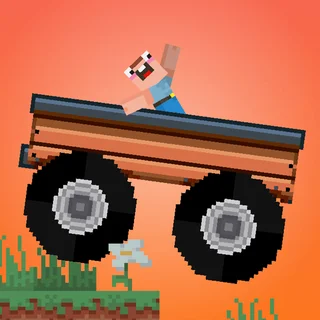
Monster Truck Vs Zombie is a side-view, physics-based driving game: you steer a monster truck across bumpy, hilly ground while zombies stagger into your path. There is no track to memorize, just momentum, throttle, and gravity working against each other one hill at a time.
Every run is short and reactive. You are either powering up a slope, floating over a crest, or fighting to level the truck out before you land, and a single bad landing can flip you and end the attempt. That quick loop of build speed, catch air, land clean, repeat is the whole appeal if you want a break from slower, building-focused games.
Crushing zombies under the wheels is less about aiming and more about staying in control. Plow through the ones in your lane while keeping enough speed to clear the next rise, and the run keeps flowing.
How to play
The controls are deliberately simple: the right arrow or D accelerates, and the left arrow or A reverses. On the ground those are your only inputs for speed and momentum. The moment the truck leaves the ground, though, the same two keys switch jobs and tilt the truck's nose down or up in mid-air.
That dual role is the core skill of the game. Holding accelerate in the air pitches the front down for a nose-first landing, while tapping reverse lifts the nose for a flatter or rear-first touchdown. Landing at the wrong angle on a Unity physics build like this one usually means a stall or a flip, so reading the terrain ahead and adjusting mid-flight matters more than raw speed.
Tips
- Start tilting as soon as you leave a jump, not right before you land — the truck needs a moment to respond.
- Keep a little speed going into uphill sections; braking on an incline often stalls you and lets zombies pile up around the truck.
- A flatter landing beats a faster one. It's better to lose a bit of speed leveling out than to land on the nose and flip.
- Short, controlled taps on the tilt keys are easier to correct than holding one direction all the way through a jump.
Similar games on Paper Minecraft
If the physics-driving hook is what you're after, Noob Drive is the other vehicle game on the site and plays with a similar build-speed, stay-upright rhythm. For more zombies, Zombie Rush swaps the truck for a survival scramble against the same kind of enemy. And if you want something twitchier and less about momentum, Crossy Road is a quicker, hop-based arcade game you can jump into for just as short a session.
It's a keyboard game at heart — the accelerate and reverse keys doing double duty as air controls is fiddly on a touchscreen, so it plays best with a real keyboard nearby. Sessions run a minute or two at a time, which makes it an easy game to pick up between rounds of whatever else you're playing on the site.
Questions about Monster Truck Vs Zombie
Is Monster Truck Vs Zombie unblocked at school?
Monster Truck Vs Zombie runs in an ordinary browser tab from paperminecraft.co, with nothing to download or install, so it plays on most school Chromebooks and work computers. If a network filter blocks the site, only that network's administrator can change it.
What are the controls for Monster Truck Vs Zombie?
Right arrow or D accelerates and left arrow or A reverses. In the air those same two keys tilt the truck's nose down or up so you can control your landing.
Do I need a keyboard to play?
Yes. The mid-air tilt controls reuse the accelerate and reverse keys, which makes the game awkward on a touchscreen, so it plays best on a computer with a keyboard.
Why does my truck flip after a jump?
Landing at a steep angle, nose or tail first, usually causes a flip. Start tilting as soon as you leave a jump so the truck has time to level out before it touches down.
Is there a save or progress system?
No, each run is a short, self-contained attempt through the hills rather than a level you save and continue later.
Is the game free and does it need a download?
Yes, it runs directly in the browser as a free WebGL game with nothing to install.